Your comments

Sure. Can you post a link so I can take a look?

Go to the Apps section in your Shopify admin and there is a way to unsubscribe from the App.

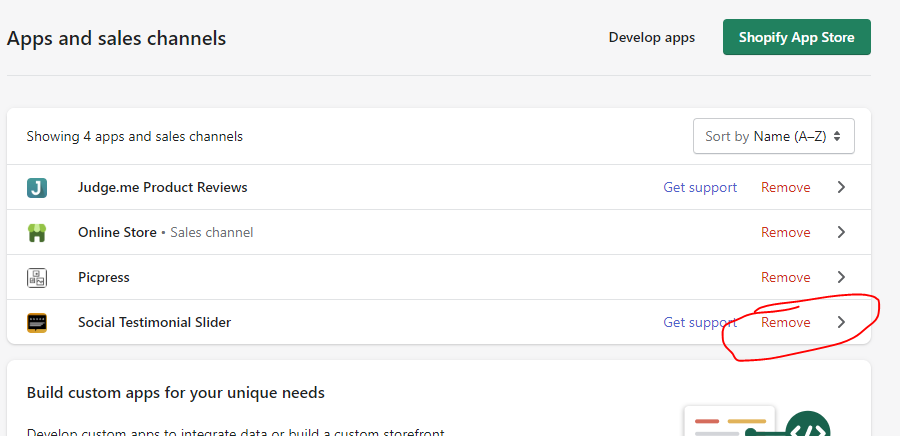

Sorry, there currently isn't a way for customers to input testimonials.
Can you share some screenshots or an example of what exactly you want to accomplish?
Yes, if you click the "Instructions" button to the right of the review template you created then scroll down in the pop-up window, there is some code that you can copy and put on the page.
You are missing the underlined portion in this screenshot...

I see the code but it looks like the !important tag is not added. Make sure to copy/past just like this...
.wprs_unslider-arrow {
position: absolute !important;
}
Add this CSS code to the custom CSS code for the review template in the app.
.wprs_unslider-arrow {
position: absolute !important;
}
Customer support service by UserEcho


I'm actually only seeing the code for the desktop version on the page. Are you sure the mobile version is also on there? You would need to add another section.
To change the width you can use the margin settings for the section.
The date value for Google is inferred from the download date. Google doesn't list the exact date the review was left. It just says days ago or weeks ago. So the app has to assign a value based on that text.